B2B Store
Your dealers, supermarkets, cafés, pharmacies — your customers place their orders at their own prices, whenever they like provide it. As powerful as B2B, as stylish as the best B2C sites: with your brand, on your rules.
No password needed: you sign in as the buyer of one of the demo company's customers, fill a basket and place an order.
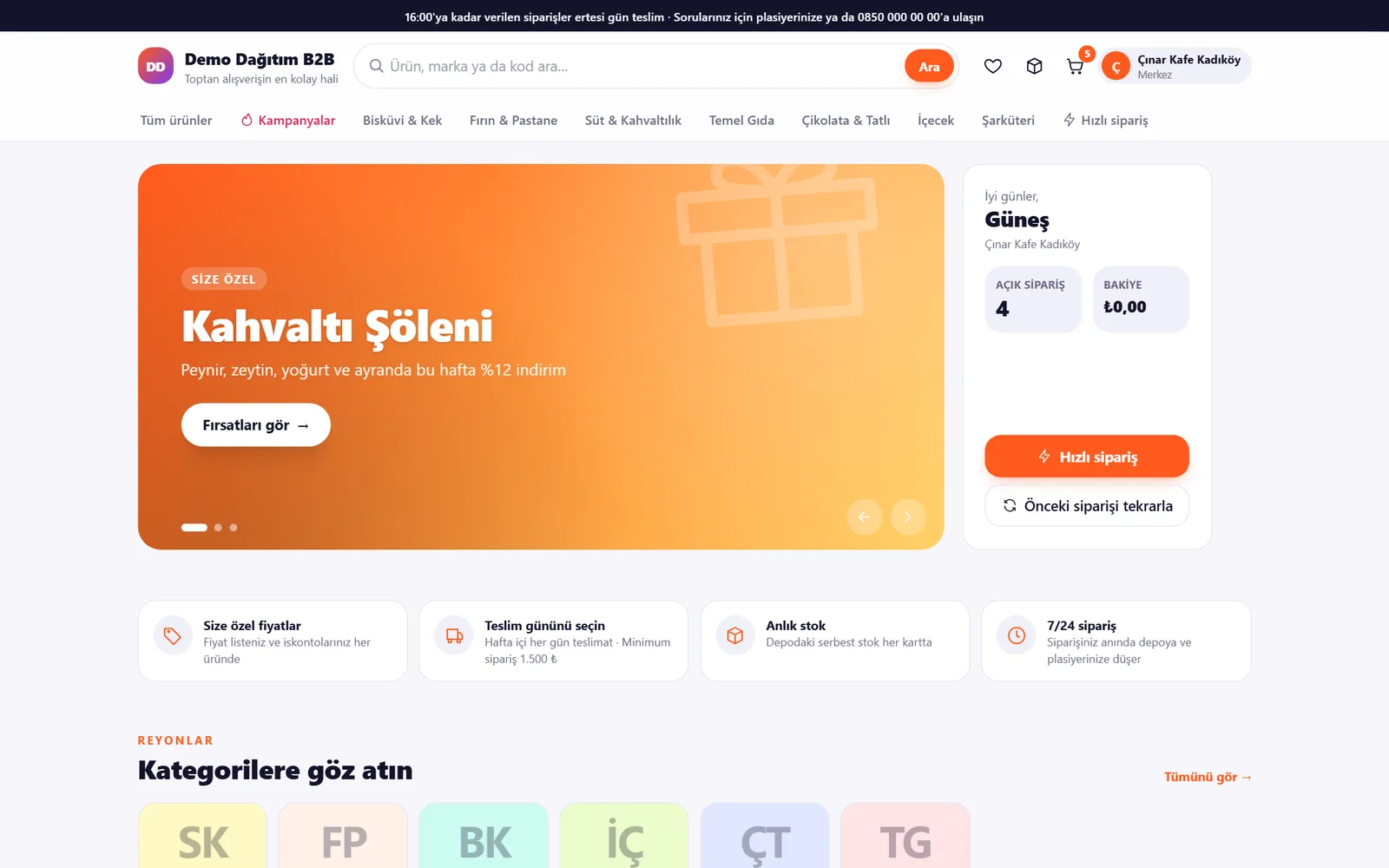
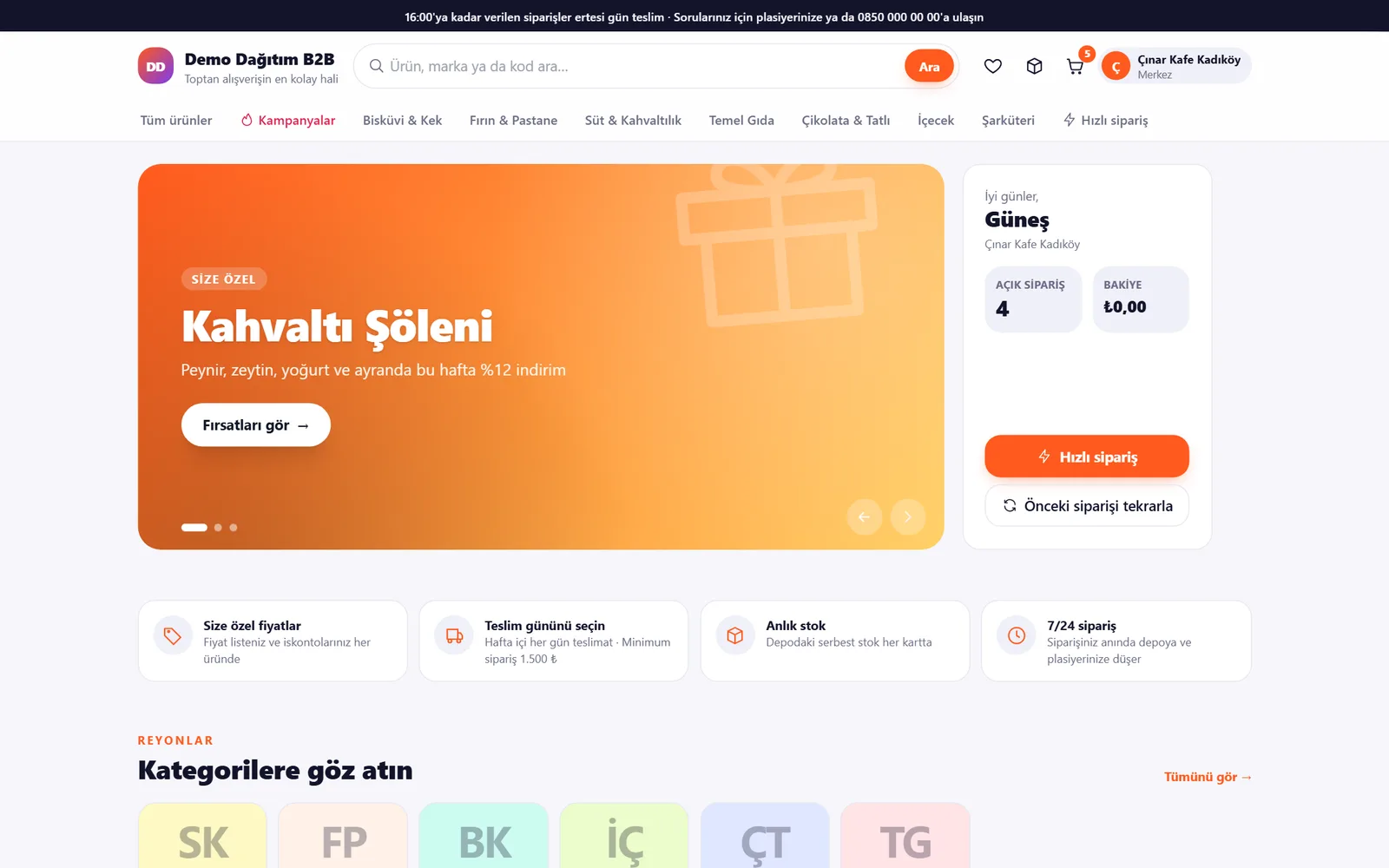
A real e-commerce site
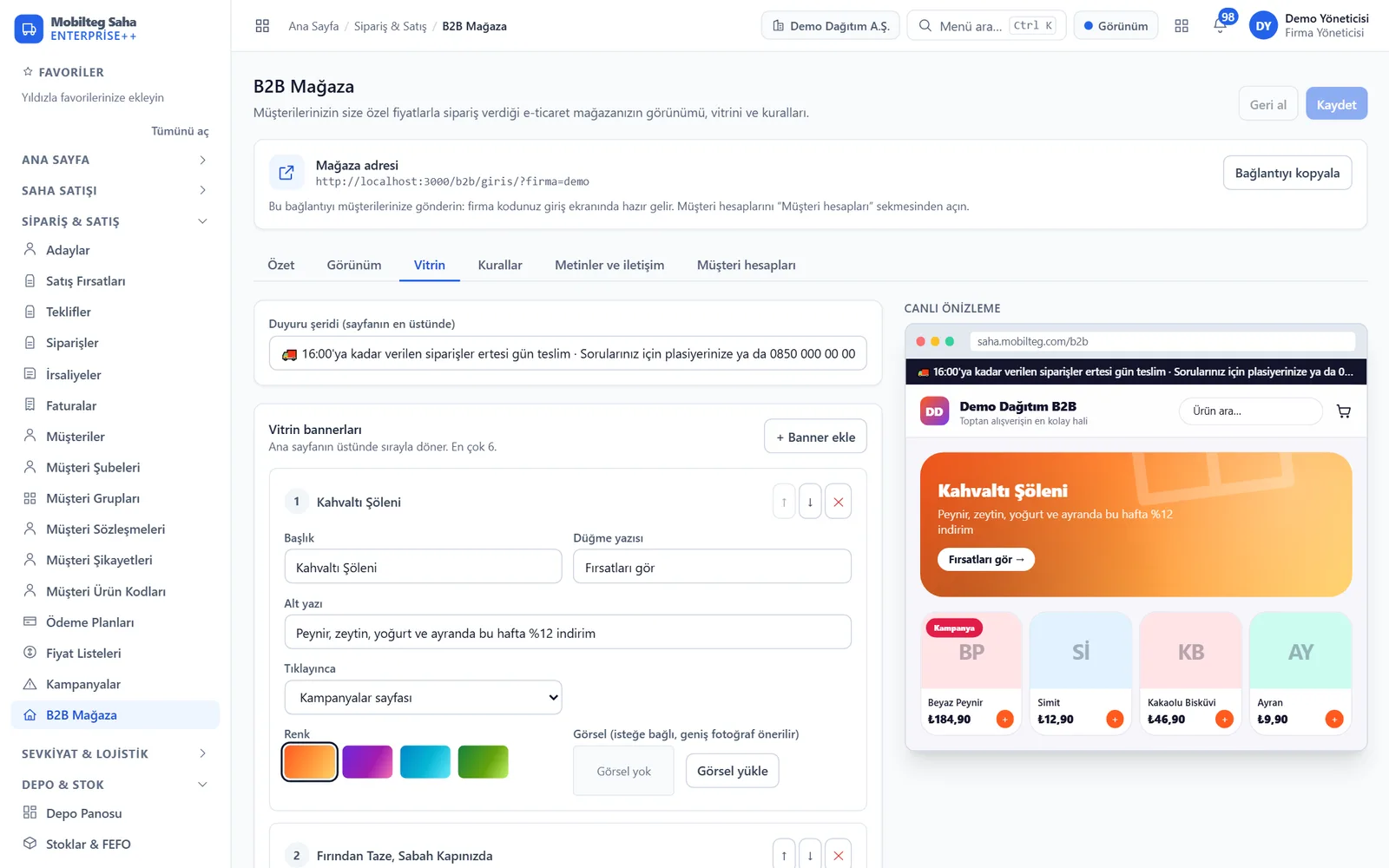
Every screen your customer sees, from the storefront to checkout – and the panel where you manage the store.
Promotion banners, aisles, your own prices and an account summary at a glance.
Six themes, one click
Each theme is a complete design language: colours, corners, typeface, hero areas. Natural for food, Industrial for manufacturing, Luxury for premium brands – with your logo and banners in each.
Everything a B2B store should have
The rules of wholesale with the ease of retail websites.
Your special price
Each customer sees their own price list, contract price and discount, with the list price struck through and the discount percentage shown.
Promotions apply automatically
Percentage discount, ‘buy 10, pay for 9’, case deals: applied automatically in the basket, no coupon needed; the saving is shown in the basket.
Delivery day selection
The branch's delivery days and time slots; the customer chooses the day and the order is scheduled for that day.
Limit and minimum amount
Progress bar towards the minimum order amount; credit limit, overdue balance and remaining limit are visible before ordering.
Quick order
Paste the list from Excel: code or barcode and quantity. Products found come with their prices; those not found are listed separately.
Reorder with one click
Add a past order to the basket as it was; products no longer sold are flagged. ‘Frequently bought’ is ready on the home page.
Real e-commerce catalogue
Search, category tree, brand, promotion and stock filters, sorting; card view, or list view for bulk ordering.
Order tracking
Received → approved → prepared → in transit → delivered; vehicle registration, driver and estimated arrival. An order that has not been approved can be cancelled.
Balance, invoices, statement
Open balance, available limit, overdue amount, invoices and a printable account statement for any date range.
Real-time stock
Free stock in the warehouse (net of open orders), shown as a badge or a quantity; turn off selling without stock if you wish.
Branch and contact permissions
Multiple buyers per customer; each account sees only its own customer account and the branches it is allowed.
Order lists
Save your ‘Monday order’ once; add it to the basket with one tap every week and order at current prices and promotions.
Returns and requests
Requests about returns, missing or damaged products, deliveries and invoices are opened against an order; the sales rep is notified and the reply appears in the store.
Customer's own codes
Customers search and quick order using their own product codes, and download the price list to Excel with their own codes.
Flawless on phones
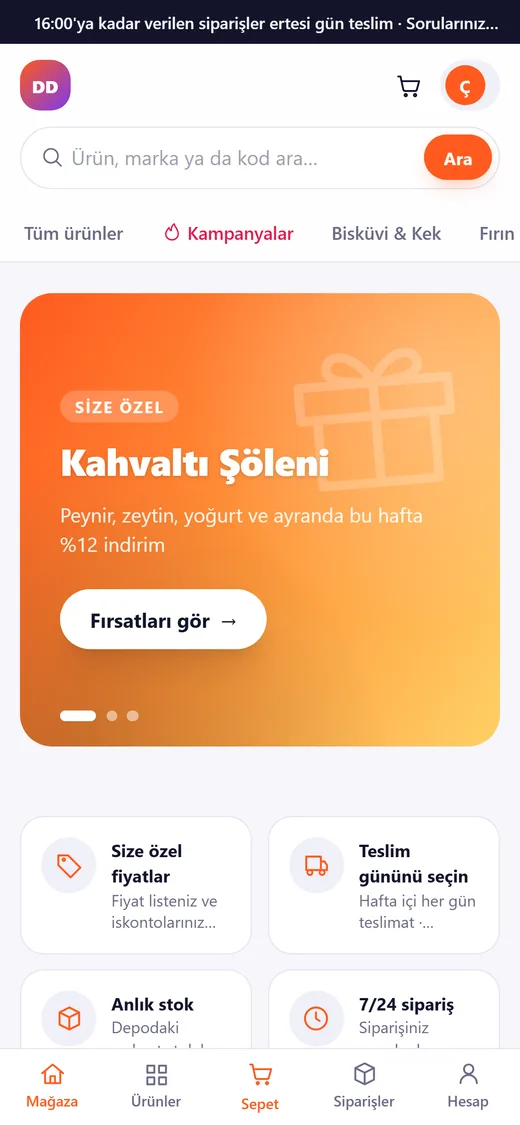
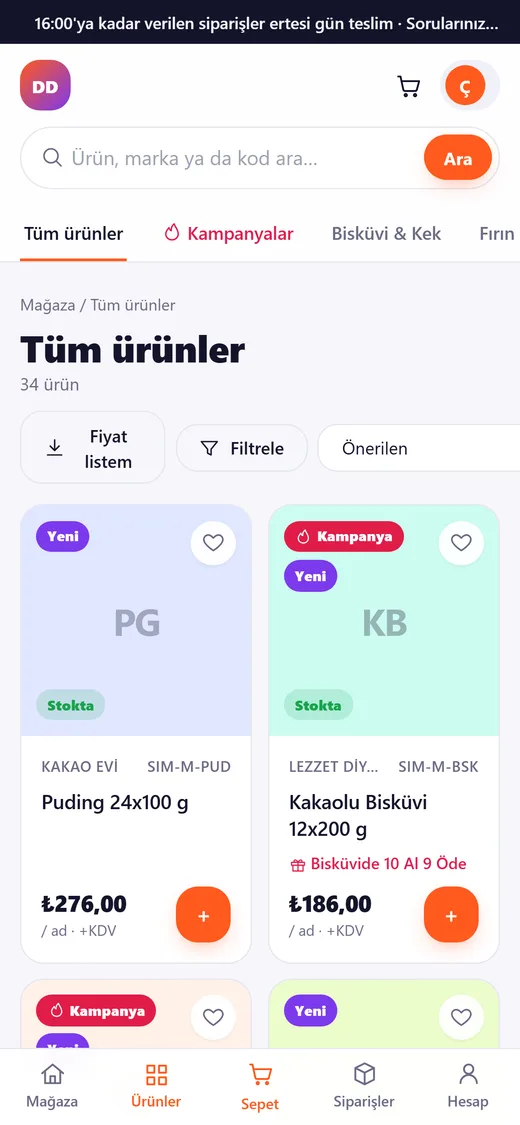
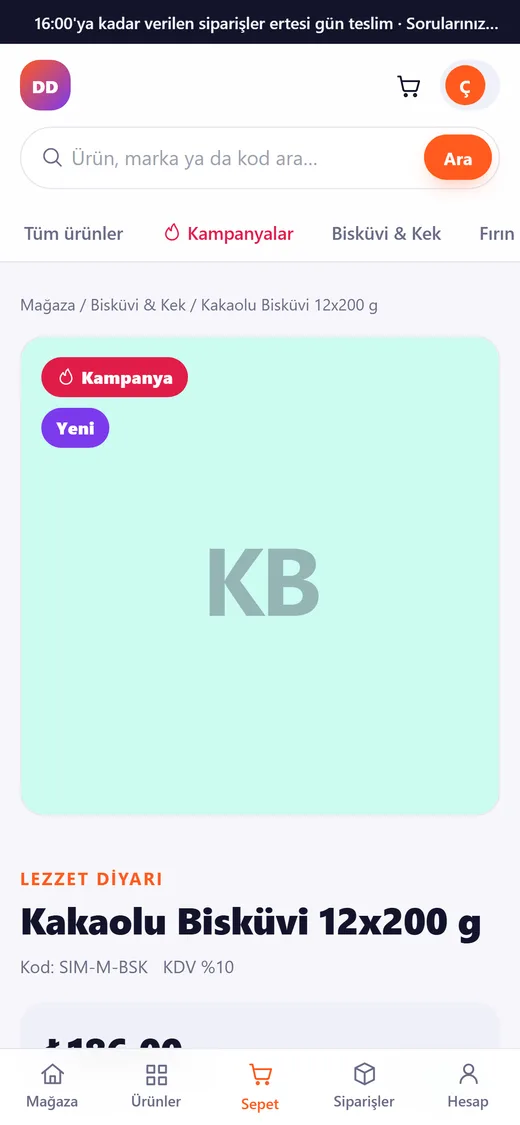
Mobile-friendly: bottom menu, swipeable aisles, slide-out basket. Your customers order from the browser without installing an app.
Live in an afternoon
- 1
Style your store
Choose a theme, add your logo, banners and announcement, and set featured aisles and rules. Instant preview.
- 2
Create accounts for customers
Select the account and enter the buyer's email and initial password. Share the store link with your company code in one click.
- 3
The customer places an order
At their own prices, with promotions, choosing the delivery day. Your rules (limit, minimum, stock) are applied before the order is placed.
- 4
Enters your order flow
The order is a regular order in Mobilteg Saha: approval, warehouse, shipment, invoice. If you have an ERP connection, it is posted to Logo, Netsis or Mikro.
A wholesaler in your pocket
The café owner while closing the till in the evening, the shop manager in front of the shelves: they open it on their phone, add their usual items to the basket and choose tomorrow’s delivery. No app to install, and if they forget their password, you reset it.
- Bottom menu and slide-out basket
- Swipeable aisles and showcase
- Increase or decrease quantity with one hand
- Order status in one tap
FAQ
Do I need to enter prices separately for the store?
No. The store uses the same engine that prices the sales rep's orders: price lists, customer contracts, discounts and promotions. Whatever price applies in Saha or comes from the ERP is what the store shows.
Do my customers see only their own information?
Yes. A store account is linked to one customer account; orders, invoices, balance and statement belong to that account only. An account with restricted branches can only order for the permitted branches. Data is separated by company at database level.
Which products are shown in the store?
Finished goods and trading goods open for sale. Raw materials, semi-finished goods, not-for-sale and inactive products are not shown; optionally, products without a defined price are also hidden.
What happens to an order that exceeds the credit limit?
Customers see their remaining limit in the basket; an order that exceeds the limit is sent for approval, just like a field order.
Setting up a separate site?
No. The store runs inside Mobilteg Saha at saha.mobilteg.com/b2b. There is no installation; it is enabled on the day it is added to the licence.
Can be added to any plan
B2B Store is a separately licensed add-on module; it can be added to any Mobilteg Saha package.