Supplier Portal
Let your suppliers confirm via the portal, notify you when goods are dispatched, see the status of their invoices and payments themselves, and answer reconciliations and quotation requests online. No more back-and-forth by email, phone and Excel.
No password needed: you sign in as the sales contact of the demo company's flour supplier, confirm the order and notify the dispatch.
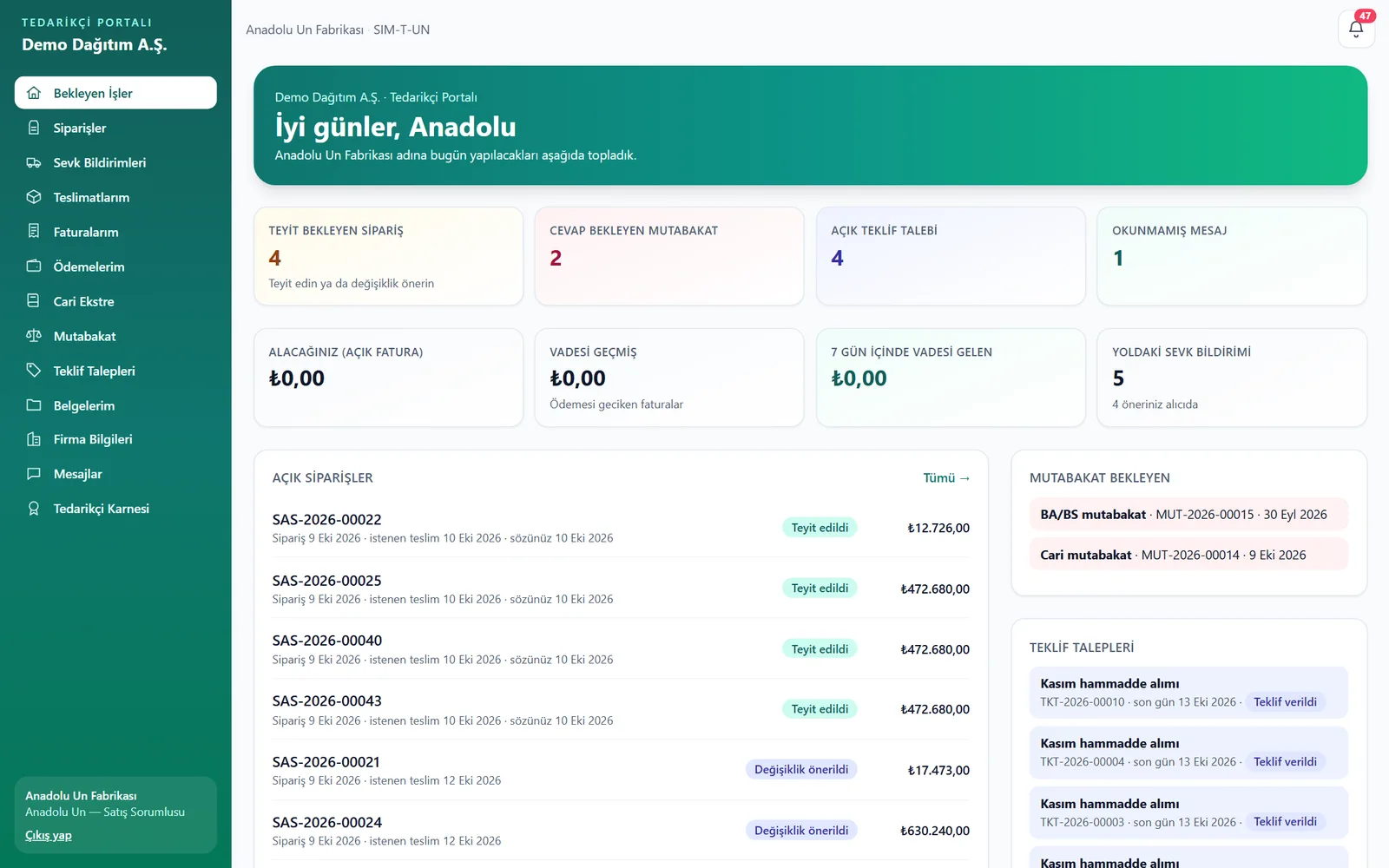
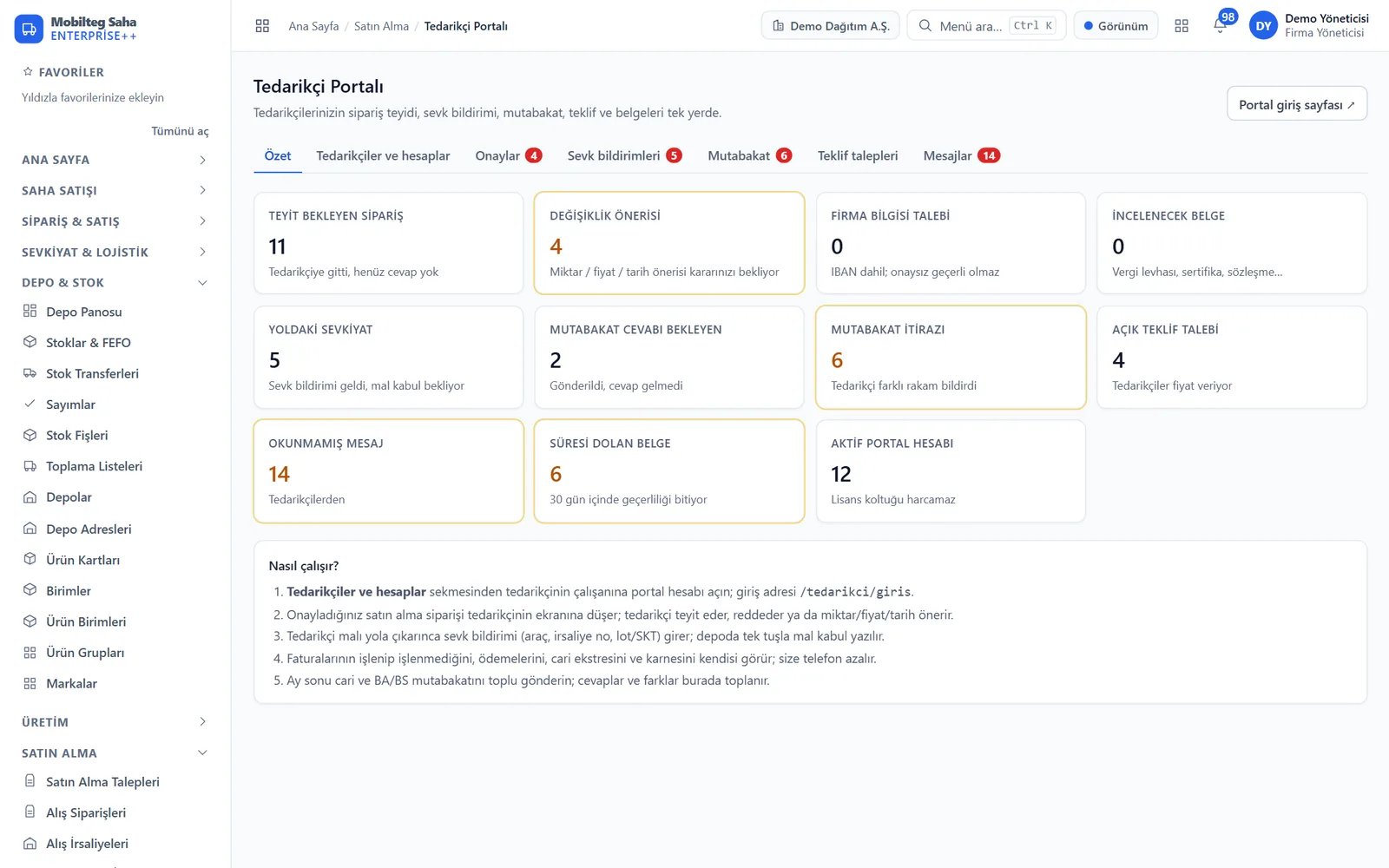
Every screen the supplier sees
From pending tasks to reconciliation — and from your purchasing panel to quotation comparison.
Orders awaiting confirmation, upcoming deliveries, reconciliation and quotation requests, payments due – a summary of the supplier's day.
What the big procurement platforms do, at your scale
Order collaboration, dispatch notices, invoice visibility, reconciliation, quotation collection and supplier performance – no installation, built for Turkish regulations.
Order confirmation
A purchase order you approve appears on the supplier’s screen. The supplier confirms orders one by one or in bulk and enters the promised delivery date.
Quantity, price and lead time proposals
The supplier proposes changes line by line; when you accept, they are applied to the order, totals are recalculated and a correction is sent to the ERP.
Advance shipping notice (ASN)
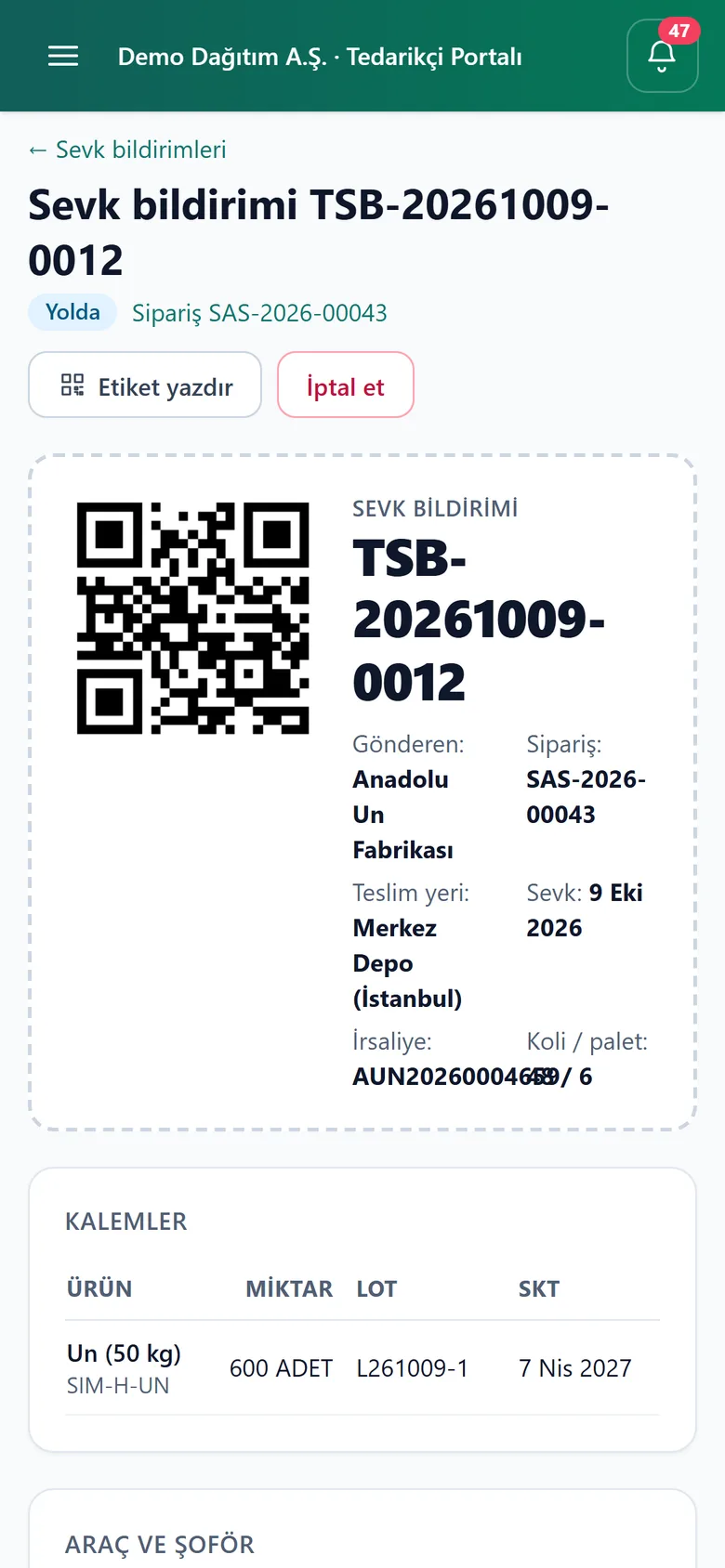
Goods in transit: how much from which line, lot and expiry date, plate number, driver, case/pallet and delivery note number. Over-shipping is blocked.
QR label, one-tap goods receipt
The notice's QR label is on the case; when the label is scanned in the warehouse, the notice opens, the counted quantity is entered and the goods receipt is recorded with its lot and expiry date.
Invoice status
Suppliers see whether their invoice has been processed, with its status in the GİB inbox – no more “has my invoice arrived?” calls.
Payments and due dates
Payments made, invoices due and overdue, cheques and promissory notes issued; the supplier can plan their cash flow.
Account statement
The supplier's account in the buyer's records, by date range, exportable to Excel. Opening balance and balance state who owes whom.
Account and BA/BS reconciliation
Sent in bulk; the supplier either confirms ‘we agree’ or disputes it with their own figure, reason and account statement. The difference is calculated automatically.
Request for quotation (RFQ)
Request prices from several suppliers; prices and lead times come back line by line, and draft orders are created for the winners from the comparison table.
Supplier scorecard
On-time delivery, in-full quantity, OTIF and return rate. Suppliers see their own score — and what they see, they improve.
Document management
Tax certificate, signature circular, ISO, contract: the supplier uploads, you approve; documents expiring within 30 days are flagged on both sides' screens.
Secure IBAN changes
Changes to details do not take effect without approval; the IBAN is validated with mod-97, the approver is recorded in the audit trail and the change is notified to all of the supplier's accounts.
Messages and notifications
Messages linked to orders, shipments and quotations, with file attachments; every step is sent to both parties as a notification.
Walled-off access
A supplier account sees only its own company's records and cannot access any other Saha screen or API. KVKK consent is recorded.
Works on phones too
Mobile-friendly: the shipping coordinator in the warehouse enters notifications and prints QR labels from a phone.
Email and phone, or a portal?
| Task | Email / phone / Excel | Supplier Portal |
|---|---|---|
| Order confirmations and promised delivery dates on record | — | |
| Change proposals are applied to the order automatically | — | |
| One-tap goods receipt from advance shipping notice (lot, expiry date) | — | |
| Suppliers see invoice and payment status themselves | — | |
| Bulk reconciliation, difference calculation, statement attachment | — | |
| Quotes side by side, one-click order to the winner | — | |
| Approval and audit trail for IBAN changes | — | |
| Supplier performance (OTIF) is measured | — |
From order to month-end
- 1
Create an account for the supplier
In Purchasing › Supplier Portal, select the supplier and enter the employee's email and initial password. It does not use a licence seat.
- 2
Approve the order
An approved purchase order goes to the supplier automatically; confirmations, rejections and proposals appear on your order screen.
- 3
Goods are dispatched
The supplier enters the advance shipping notice; the warehouse sees the goods in transit and, on arrival, records the goods receipt from the notice.
- 4
Closes automatically at month end
Invoice status, payments and statements on the supplier's own screen; send reconciliations in bulk and resolve disputes in a single list.
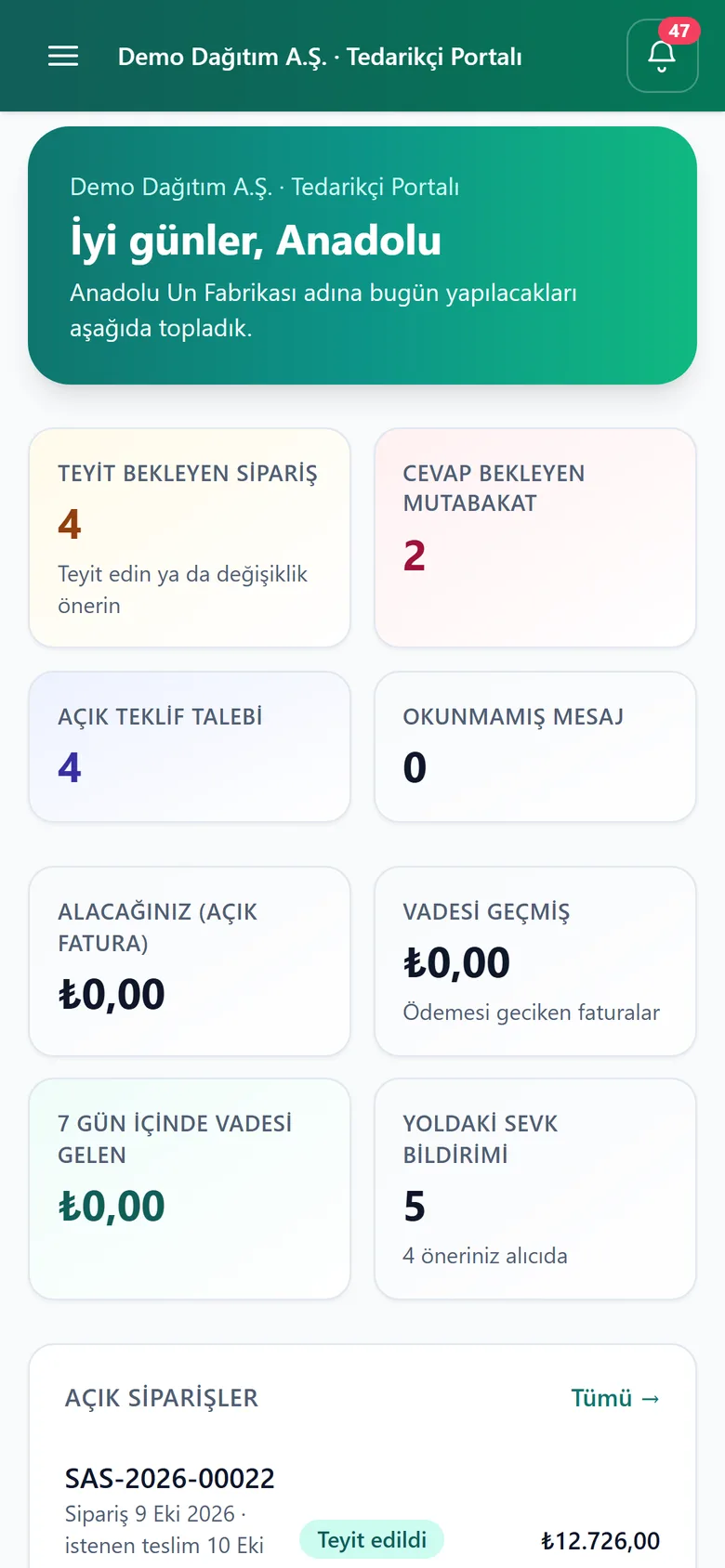
From the phone at the dock
The supplier's shipping clerk enters the notice on a phone while the lorry is being loaded and prints the QR label; the sales manager confirms the order on the go. No app to install.
- Pending tasks on one screen
- Confirm or propose in two taps
- Advance shipping notice and QR label
- Notification bell: new order, decision, payment
FAQ
Do I pay user licences for my suppliers?
No. Supplier portal accounts do not count towards your user licences; you can create accounts for as many suppliers as you like, and for several people per supplier.
Can the supplier see my other information?
No. A supplier account can only access the Supplier Portal screens and sees only its own company's orders, invoices and payments; other suppliers, customers, your stock and your prices are hidden. Data is separated by company at database level.
Does a price proposed by the supplier take effect automatically?
No. The proposal awaits your approval and is applied to the order when you accept it. The price of an invoiced line cannot be changed, nor can the quantity be set below what has been received.
Does it work with my ERP?
Yes. Orders, goods receipts and invoices are Saha’s own documents; if you have an ERP connection, they are posted to Logo, Netsis or Mikro, and an accepted change goes to the ERP as a correction.
Is installation required?
No. The portal runs at saha.mobilteg.com/tedarikci; your supplier signs in from a browser or phone. It is enabled on the day it is added to the licence.
Can be added to any plan
The Supplier Portal is a separately licensed add-on module that can be added to any Mobilteg Saha package. Supplier accounts do not count towards your number of users.